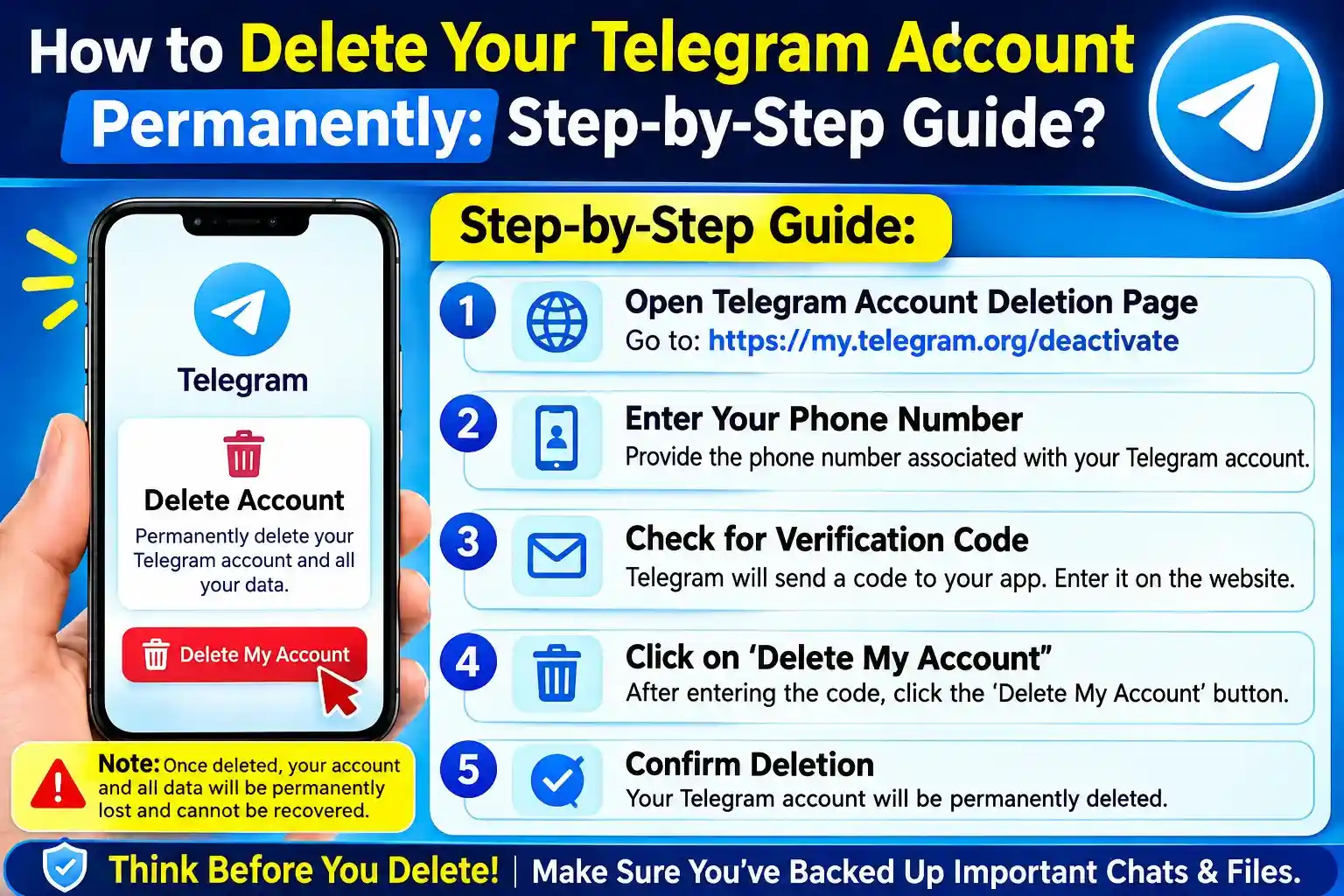
Deciding to quit Telegram forever? Considering abandoning Telegram forever? You might be switching to a new messaging app, you’ve decided to take a break from social media, or you simply want to tidy up your digital life, but no matter the reason, deleting the Telegram account is a straightforward process that is permanent.
We will try explaining the steps you need to take to delete a Telegram account step by step, what happens to your chats and contacts when you delete the account, and what you should know before hitting the delete button.
Note: Loging out of Telegram account is irreversible. According to Telegram, once deleted, your account and its messages and contacts are gone forever.
Also Read:- Top 15 Free Anonymous Text Apps for Secure Conversations
Before You Delete Your Telegram Account
Before you delete your Telegram account, take a few minutes to make sure you are ready.
Consider these points:
- Your Telegram messages and contacts will be permanently removed from your account.
- You will lose access to your Telegram cloud data.
- Groups and channels you created will remain, but they will no longer have you as the creator.
- Other people may still have copies of messages you previously sent them.
- If you create a Telegram account again with the same phone number, it will be treated as a new account.
- You cannot restore your old chats, contacts, or account history after deletion.
If you have important photos, documents, or conversations, save anything you want to keep before continuing.
How to Delete Telegram Account Permanently?
Telegram provides an official account deactivation page for permanently deleting your account. Telegram recommends using a non-mobile browser for this process.
Step 1: Open Telegram’s Account Deactivation Page
Open Telegram’s official account deletion/deactivation page in your web browser.
You can use a computer browser for a smoother experience. Telegram specifically recommends a non-mobile browser for the deletion process.
Step 2: Enter Your Phone Number
Enter the phone number connected to your Telegram account.
Make sure you enter the number in international format, including the country code.
For example:
+91XXXXXXXXXX
Then continue to the next step.
Step 3: Check Telegram for Your Login Code
Telegram will send the confirmation code inside the Telegram app, rather than by regular SMS.
Open Telegram on one of your logged-in devices and look for the message containing the login code.
Enter that code on the deactivation page.
Tip: Never share your Telegram login code with another person. It is used to verify access to your account.
Step 4: Sign In to the Deactivation Page
After entering the correct code, you will be taken to the account management area.
Look for the option to delete or deactivate your account.
Take a moment here. If you are only trying to free up storage, stop receiving notifications, or take a temporary break, you may not need to delete your account at all.
Step 5: Choose “Delete Account”
Select the option to delete your account.
Telegram will warn you that the process is permanent. Your account data, including messages and contacts associated with the account, will be removed.
If Telegram asks why you are leaving, you may provide a reason, but this is not the main part of the deletion process.
Step 6: Confirm the Deletion
Read the final warning carefully.
If you are completely sure you want to leave Telegram, confirm the account deletion.
Once the deletion is completed, there is no normal way to restore your old Telegram account or its history. Telegram describes account termination as irreversible.
What Happens After You Delete Your Telegram Account?
This is probably the most important part of the entire process.
When your Telegram account is deleted, Telegram says that messages, groups, contacts, and other account-associated data are removed from its system. However, people you previously communicated with may still have their own copies of messages you sent them.
Your groups and channels also need special attention.
If you created groups or channels, they are not simply erased because you deleted your account. They can remain available, while your account is removed as the creator. Existing administrators retain their administrative rights.
What if You Sign Up Again?
You can create a Telegram account again using the same phone number, but it will be a new account.
Your old conversations, contacts, and account history will not come back. Telegram says people who have your phone number saved may also be notified when a new account is created.
So, deleting your account is very different from simply logging out.
Does Uninstalling Telegram Delete Your Account?
No.
Uninstalling the Telegram app from your phone does not automatically delete your account.
Likewise, logging out is not the same as deleting your account. Telegram explains that you can log out and later sign back in while retaining your cloud messages.
If your goal is simply to stop using Telegram temporarily, uninstalling the app or logging out may be a better option.
What If You Only Want to Delete Your Messages?
You do not necessarily need to delete your entire account.
Telegram allows users to delete individual messages or entire chats, including options to remove messages for both parties in supported situations. You can also manage synced contacts, cloud drafts, profile pictures, stories, and call history from the app.
So before you delete Telegram account, ask yourself:
Do I want to leave Telegram completely, or do I simply want to remove some of my data?
If it is the second option, deleting specific information may be enough.
Can Telegram Automatically Delete an Inactive Account?
Yes. Telegram has an account self-destruction feature for inactive accounts.
According to Telegram’s FAQ, an account that remains inactive for the configured period will eventually be deleted. The default period is currently 18 months, and users can change the inactivity period in their settings.
This can be useful if you stop using Telegram but do not want to manually delete your account immediately.
What About Telegram Premium?
If you have a Telegram Premium subscription, deleting your account and canceling your subscription are not necessarily the same thing.
Telegram states that subscriptions purchased through the App Store or Google Play may need to be canceled through your Apple or Google account settings, even if you delete your Telegram account or uninstall the app.
So, if you have Premium, check how you purchased the subscription before deleting your account.
Quick Checklist Before Deleting Telegram
Before you permanently delete your account, make sure you:
- Save important photos, videos, files, and information.
- Check whether you have important group or channel ownership responsibilities.
- Tell important contacts that you are leaving if necessary.
- Check for an active Telegram Premium subscription.
- Make sure you have access to your Telegram account and phone number.
- Understand that the deletion cannot be reversed.
Also Read:- How to Find Your Network Security Key: Step-by-Step Guide for All Devices?
Final Thoughts
Removing a Telegram account is not a difficult process, but it’s a decision that should be taken thoughtfully. The procedure only takes a few minutes but the impact is forever.
If you are sure Telegram is not the best platform for you, please deactivate your account in accordance with the official deactivation process, confirm your account and confirm deletion. However, if you just want some privacy, less notifications or a cleaner Inbox, you don’t have to end your account.
Hopefully, you have now understood about how to delete a Telegram account and what happens before, during and after deleting.
Frequently Asked Questions
Yes. Telegram provides an official deactivation process that permanently deletes the account. Telegram states that the process cannot be undone.
You can use Telegram’s account deactivation page through a web browser. Telegram recommends using a non-mobile browser. The login confirmation code is delivered through Telegram rather than SMS.
Telegram says that deleting your account removes your messages and other account-associated data from its system. However, other users may still have copies of messages you sent them in their own chats.
No. Telegram describes account termination as irreversible. If you sign up again, you will start with a new account rather than recovering your old history and contacts.
No. Simply uninstalling the Telegram app does not permanently delete your account.
Telegram states that people who have your phone number in their contacts may see changes associated with the deleted account. If you later sign up again, the new account is treated as a separate account.
Groups and channels you created can remain available after account deletion, but your account is removed as the creator. Existing administrators retain their rights.
Absolutely. If you are unsure about leaving permanently, consider logging out, uninstalling the app, muting notifications, or simply taking a break. These options do not carry the same irreversible consequences as account deletion.